
Learn how to book a private lesson on esoft.

Login to or create an eSoft account and click on 'Schedule Appointment'
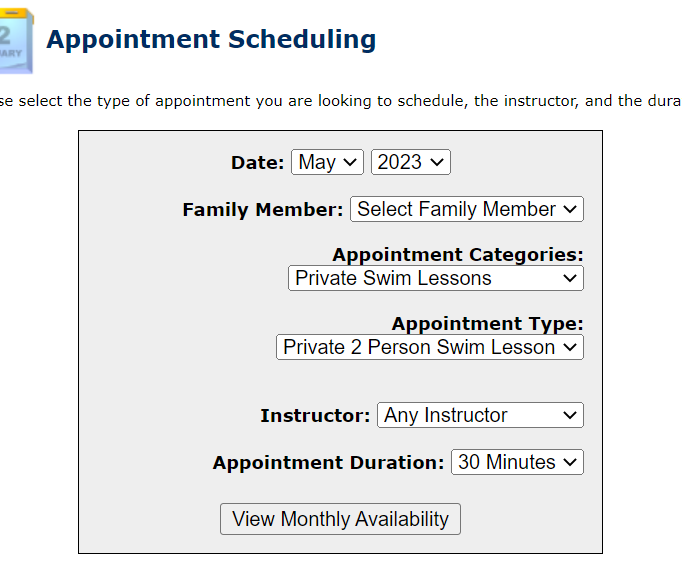
Select the Date, Family Member you would like to book the private lesson for
For 'Appointment Categories' select - Private Swim Lesson
For 'Appointment Type' select whether this is a 2 person or a 1 person lesson
For Instructor select the instructor you would like to book with, if you don't know please reach out to iscguardshack@gmail.com for guidance
Appointment Duration select '30 minutes'
Click View Monthly Availability
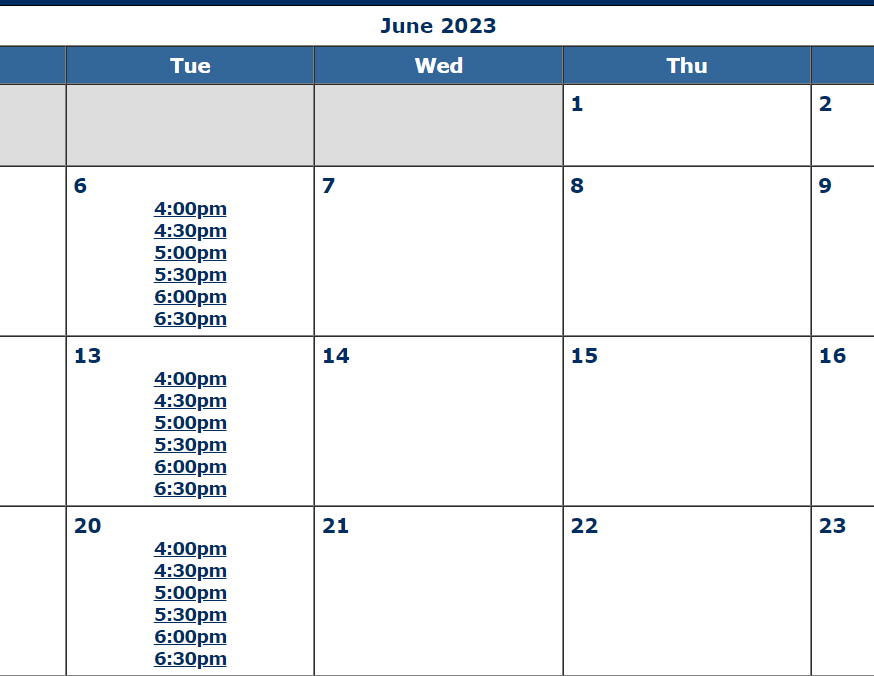
Select the time from the availability calendar that you would like to book
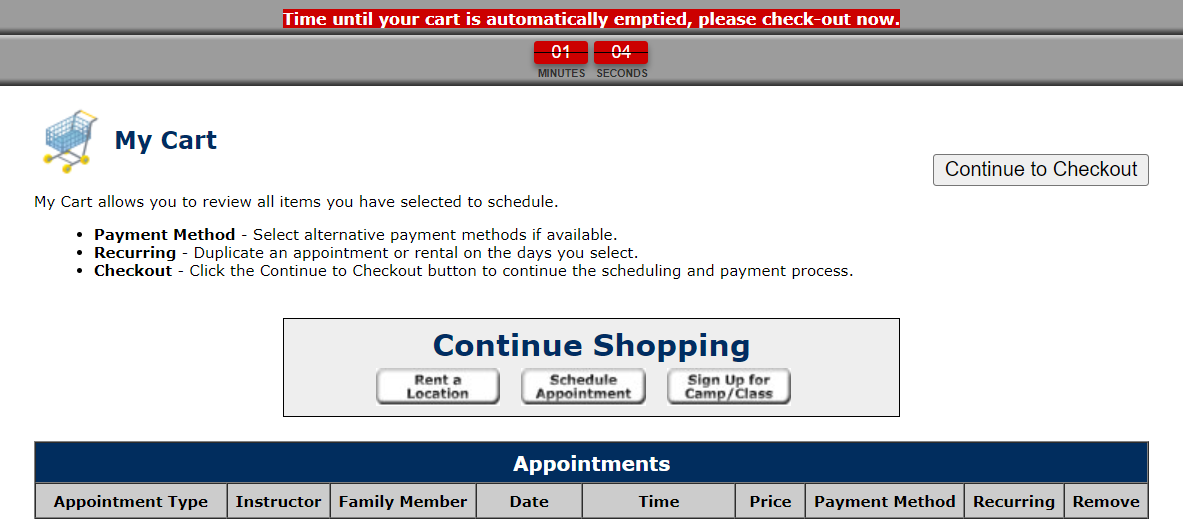
Once selected, click on 'View My Card & Checkout'
Within your cart, click on 'Continue to Checkout
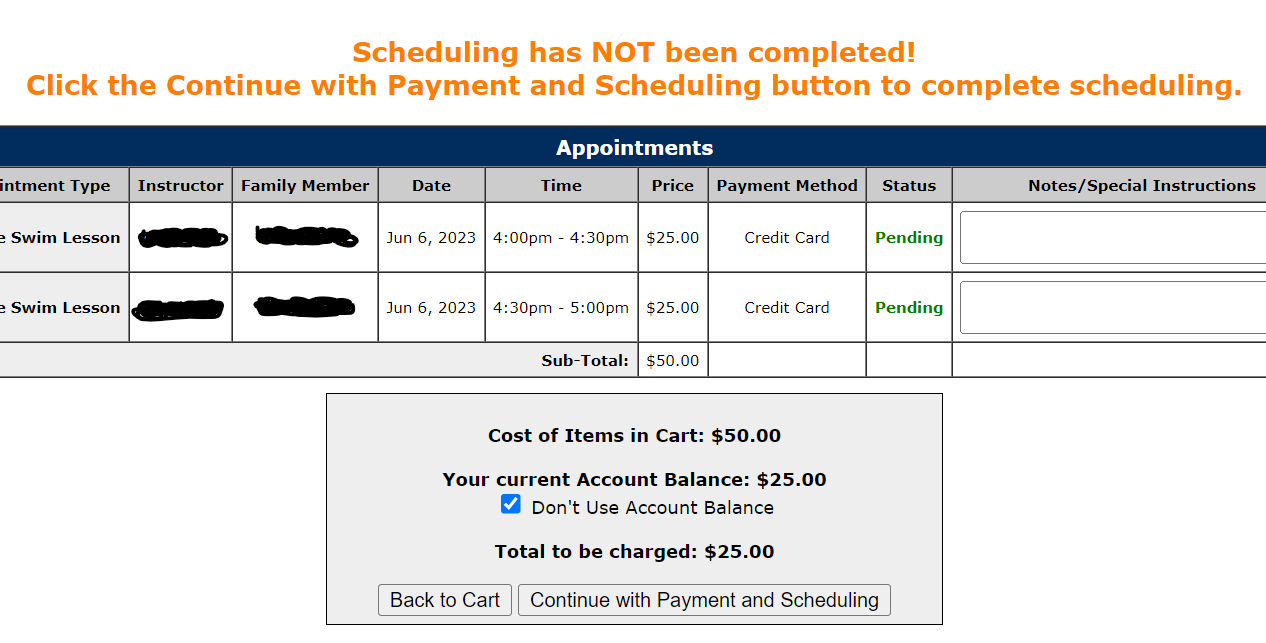
If you are paying with your account balance just click on 'Continue with Payment and Scheduling'
If you are paying with your credit card, check the box 'Don't use Account Balance' and then click on 'Continue with Payment and Scheduling'
On the next screen enter in your credit card details and click 'Purchase Now'